

We’re thrilled to unveil our August 2026 updates, designed to give you more creative control and streamline your workflow. This month, we introduced four new PhotoBiz website templates, four fresh arrow styles for slideshows, enhanced styling options for product and service blocks, and brought our convenient link picker directly into your blog and email marketing workflows. We’re also continuing to refine the PhotoBiz AI Creator user experience. Explore PhotoBiz’s new releases that will help you elevate your business online.
Website Builder: Four New Templates
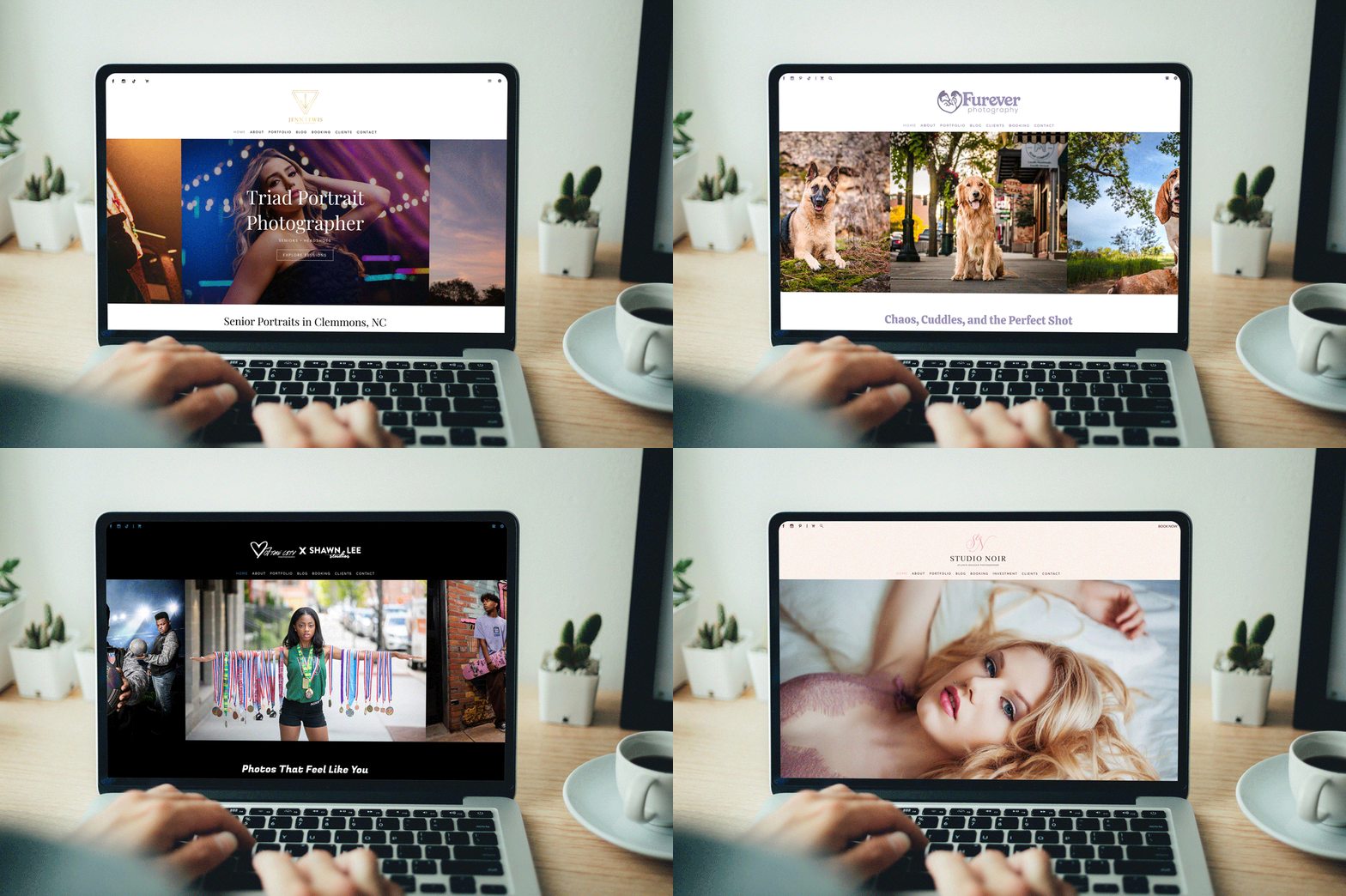
Four new website templates recently launched, each with a completely different look and feel. Switch to a new one, or borrow layout ideas with help from new predesigned pages to refresh the website you already have.
View the templates
Website Builder: Arrow Styles
Slideshows can highlight images on your website, creating dynamic, interactive opportunities for visitors. They can either watch the images scroll or click arrows to advance at their own pace. The arrows got a glow-up this month, and there are now four new arrow styles to choose from.
Learn how to update arrow styles
Blog + Email Marketing: Link Selections
Calls to action or links are key tools for your website, blog, and email marketing. To make it even easier to add links within blog posts and email campaigns to pages of your website, we’ve added the link picker from the website builder to both!
Learn how to set up buttons
Website Builder: New Styling Options
We are continuing to add more control to how the option to load more items appears in various block types. This month, we released new options for products and service grid layouts. Button, text, or clicking on the last grid item– it's your choice which will display to load more services.
Learn how to use product blocks
Learn how to use service blocks
PhotoBiz AI: User Experience Updates
The PhotoBiz AI Creator is available to support your website, blog, and email marketing. This month we made some updates to the creators to improve your experience. The differences are subtle, but intentional to help guide you through the process.
Learn how to use PhotoBiz AI Website Creator
Coming Soon: Draft Website
Sometimes, when you want to refresh your website, you want a fresh look with the same content. A new template in a few clicks and boom, it's done. Other times you want to re-envision your whole website: look, feel, content, organization, wording. And you don’t want anyone to see it as it happens. Good news! We are developing a new draft website tool that lets you create a website no one can see until you publish it, replacing your live website. You can even use the PhotoBiz AI Website Creator in the process. Draft websites are coming soon!
If you have ideas for future releases, please submit a feature request.
If you need assistance, please contact our support team, by phone at 866.463.7620 or live chat.


Leave a comment
0 Comments