

We’re excited to announce the latest updates to the PhotoBiz Website Builder for August 2025, designed to give you more control and flexibility. These releases include new block layouts, AI-powered alt text generation, enhanced linking options, and more to streamline your website design process.
Website Builder: Quickly Change Block Layouts
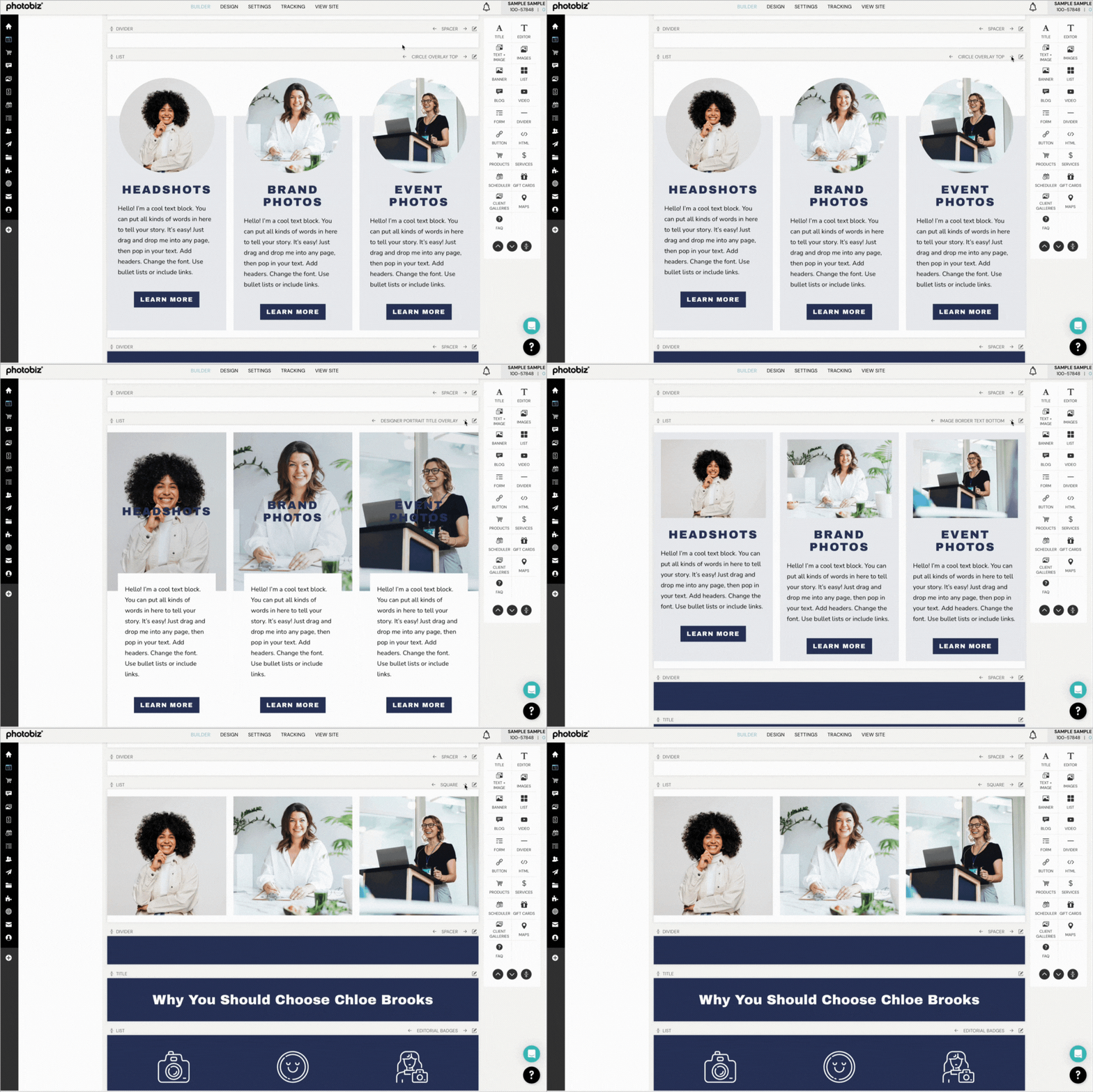
Not sure which layout you want to use for a new block on your website? Or interested in trying out different layouts for existing blocks? Experimenting with block layouts is now as easy as one click. You can scroll through layout options with the click of an arrow and see your block content change in real-time.
Learn how to change block layouts
Website Builder: New Layouts
We are continuing to add to the collection of block layout options. This month, we released four new carousel-style layouts for the banner block, as well as four new overlay-style layouts for the text + image block. These new layouts give you even more ways to showcase your business.
Learn how to change banner block layouts
Learn how to change text + image block layouts
Website Builder: AI Alt Text Generation
Adding alt text to images on your website helps screen readers and search engines understand what a picture looks like. Although it may not seem like a high priority since it’s not visible on the front end of your website, these elements are important. PhotoBiz AI can now create alt text for you, so you can check them off your to-do list! Simply click the “ask photobiz ai” button above the alt text field. It will analyze your image and generate a description. You can use the description as is or edit it to your liking.
Learn how to update alt text

Website Builder: Block Links
Linking between pages on your website helps visitors easily find content. With the release of block links, you can now guide visitors to a specific section of a page. Simply name your blocks and use the link picker to send visitors directly where you want them to go.
Learn how to link to a block

Coming Soon
We are continuing to incorporate PhotoBiz AI into more areas of the control panel. Next up is SEO. Soon, you will be able to “ask photobiz ai” to generate metadata without entering any prompts. It will analyze your page content and prepare a meta title, meta description, and meta keywords for you to review. It’s another example of our efforts to streamline your workflow and help your website perform better online.
Plus, we are working on even more new layouts. The next block to get new options is the images block.
If you have ideas for future releases, please submit a feature request.
If you need assistance, please contact our support team, by phone at 866.463.7620 or live chat.


Leave a comment
0 Comments