

Your website is often your first impression—and if it feels outdated, your audience will notice. The good news? You don’t need a full rebuild to make a big impact. With the latest tools and features available, refreshing your site is faster (and smarter) than ever.
Here are five practical ways to bring your website back to life.
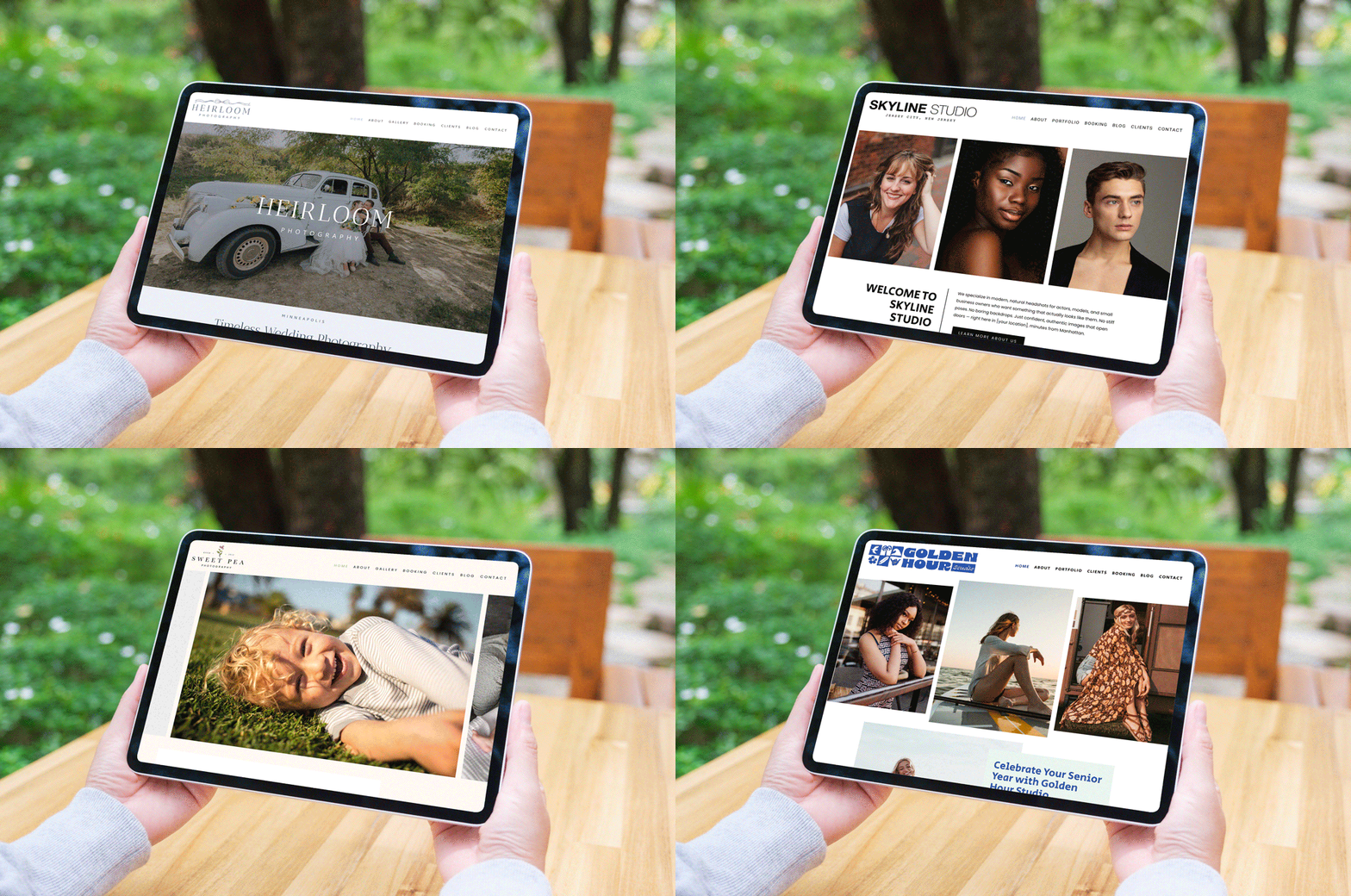
1. Upgrade Your Look with New Layouts & Templates
Sometimes the biggest improvement comes from simply changing the structure.
Modern layouts and templates are designed with today’s user behavior in mind—clean spacing, mobile responsiveness, and better visual flow. Swapping to a new template instantly gives your brand a more current, professional feel without touching your core content.
Why it matters:
A refreshed layout improves user experience, keeps visitors engaged, and helps guide them toward taking action.
2. Add Motion with Video
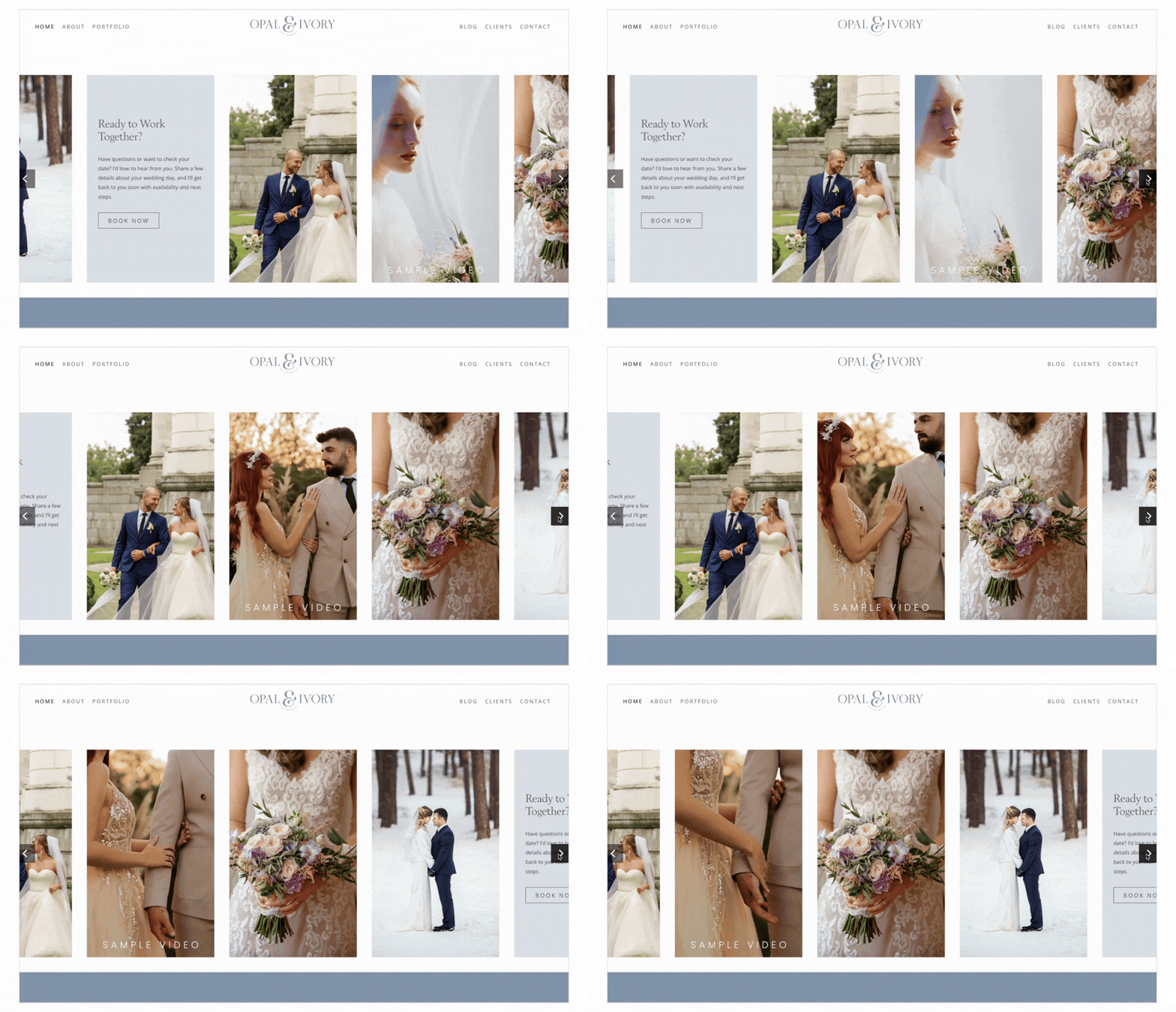
Static websites are quickly becoming a thing of the past. Adding video can immediately elevate your homepage and make your brand feel more dynamic.
Video help:
- Grab attention within seconds
- Increase time spent on your website
- Create a stronger emotional connection with visitors
Used correctly, they turn your website into an experience—not just a page. Check out our latest list item story panel looks to elevate your website experience.
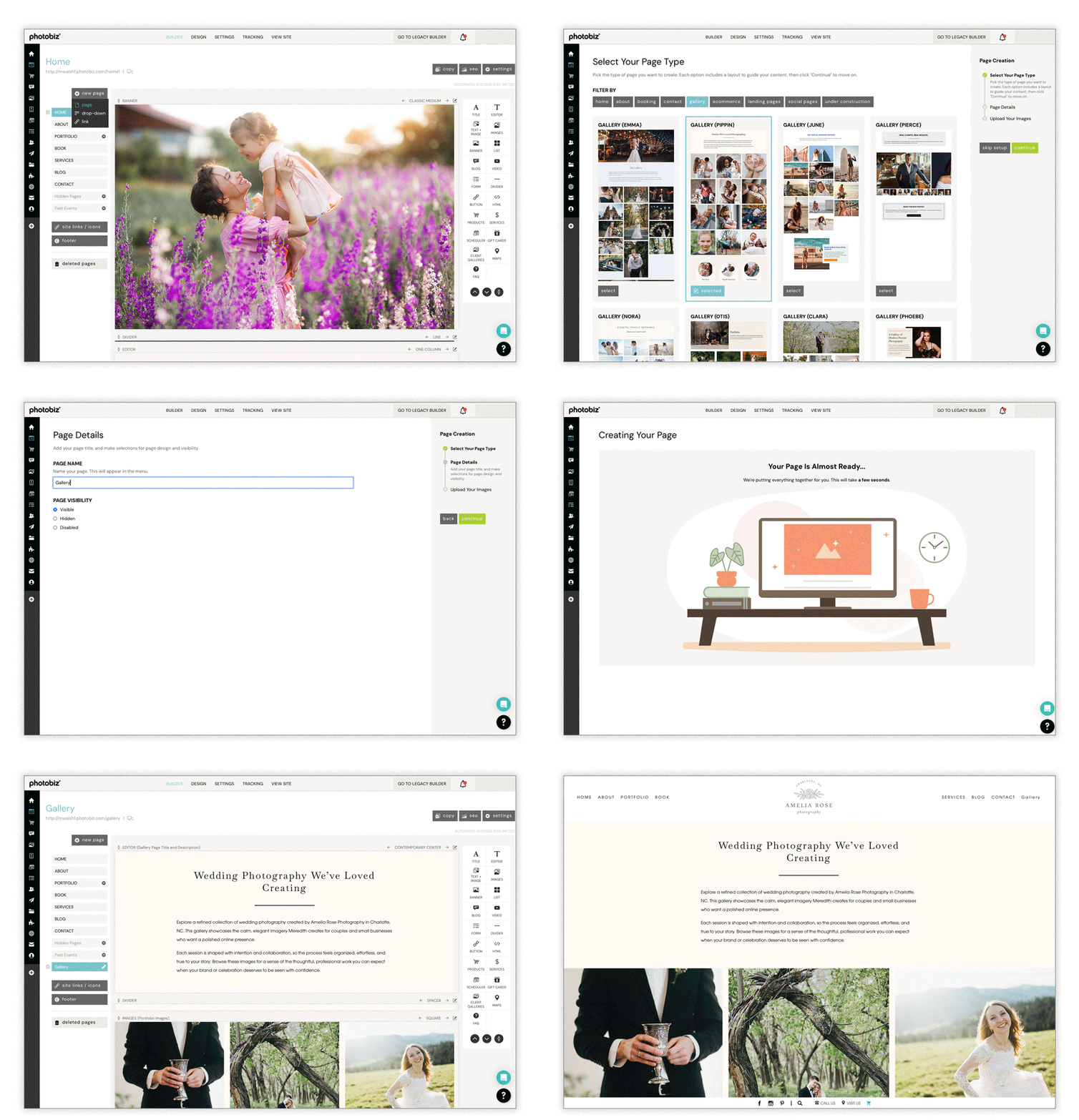
3. Use Predesigned Pages to Save Time (and Boost SEO)
Building pages from scratch can slow you down—and lead to inconsistent results.
That’s where the new PhotoBiz AI Page Creator changes the game.
You can now:
- Automatically generate key pages based on your business type
- Have content prewritten and structured for you
- Start with SEO-optimized pages right out of the gate
- Instantly add your photos and customize
This isn’t just faster—it’s smarter. You’re starting with a proven foundation instead of guessing what works.
4. Refresh Your Content (Without Rewriting Everything)
You don’t need to overhaul every word—just refine what matters most.
Focus on:
- Updating headlines to be clearer and more direct
- Swapping in stronger images
- Tightening up calls-to-action
- Replacing outdated info
Even small content updates can improve engagement and conversions significantly. PhotoBiz AI can assist with rewriting your content, just write what you like, have AI revise by clicking the Ask PhotoBiz AI button, or ask for a completely a completely generated prompt.
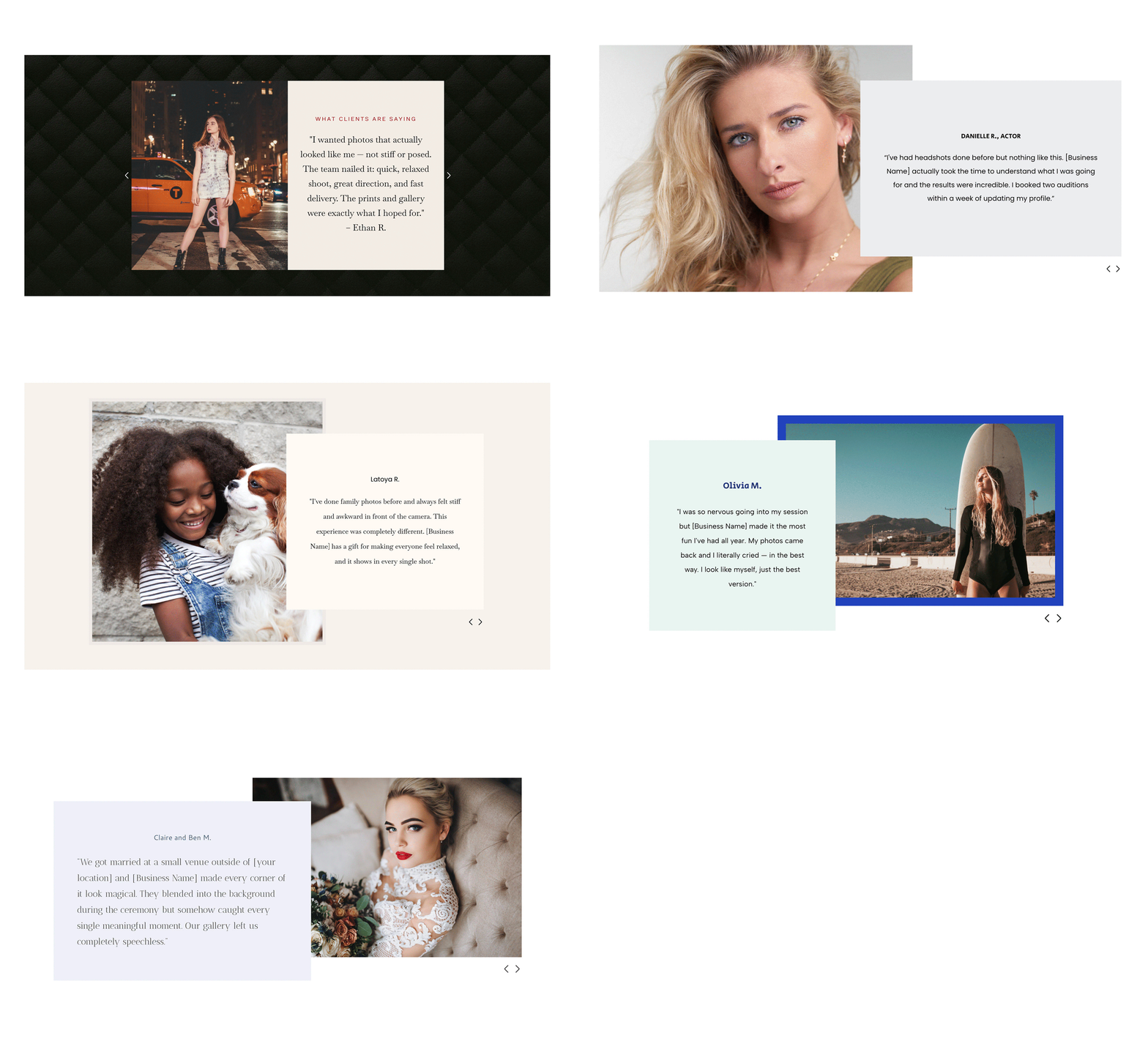
5. Enhance Your Testimonial Pages With New Layouts
Testimonials play an important role in building trust for your photography business, and a dedicated testimonials section or featured quote area can help your site feel more polished and intentional. Rather than leaving reviews scattered across the page, a well-designed layout gives client feedback a clear structure and makes it easier for visitors to connect with your work. With our updated testimonial layouts, presenting client praise alongside calls to action can feel both elegant and effective.
These layouts are not only more visually appealing, they also make testimonials easier to read and more likely to hold attention. Each section is designed to encourage visitors to pause, reflect, and take the next step. Let your clients’ words support your brand and help guide potential leads toward choosing your services. Use modern testimonial designs to bring more life and credibility to otherwise understated pages.
Refreshing your website doesn’t have to be overwhelming. With the right tools—new templates, video backgrounds, predesigned pages, and draft builds—you can create something that feels completely new without starting over.
If your site hasn’t been updated in a while, don’t wait. A few smart changes today can make a huge difference in how your brand is seen tomorrow.




Leave a comment
0 Comments