
If Your Photography Website Doesn’t Say “Book Now,” It’s Just a Portfolio
A beautiful portfolio is important.
But a portfolio alone doesn’t book clients.
If your website showcases stunning work but never clearly tells visitors what to do next, you’re relying on them to figure it out. Most won’t.
Today’s clients comparison shop. They browse multiple photographers. They scan quickly. And if your site doesn’t guide them toward the next step, they move on.
The difference between a portfolio and a booking machine?
Clear, intentional Calls-to-Action (CTAs).
Why Beautiful Portfolios Don’t Convert
Visitors don’t arrive on your site ready to hunt for your contact page. They’re asking:
-
Are you available?
-
What does this cost?
-
How do I book?
-
What happens next?
If those answers aren’t obvious within seconds, you create friction.
Web usability research consistently shows that users need direction. When you don’t provide a next step, you increase decision fatigue — and decision fatigue kills conversions.
A high-converting photography website does two things:
-
Shows compelling work
-
Clearly directs visitors toward booking
Both are required.
What Is a Call-to-Action (CTA)?
A Call-to-Action is a clear instruction that prompts a specific next step.
Examples:
-
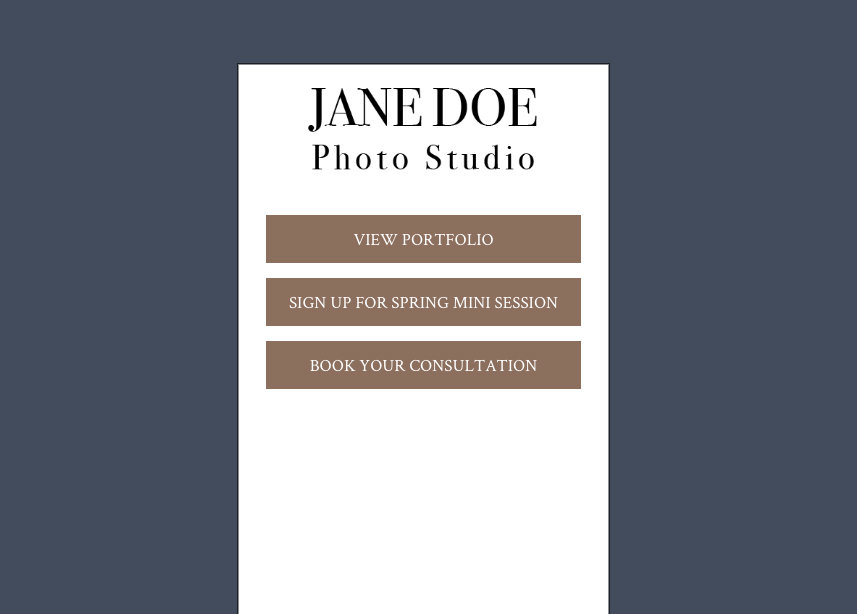
Book Now
-
Check Availability
-
View Wedding Packages
-
Schedule a Consultation
-
Reserve Your Date
-
Contact Me
Strong CTAs:
-
Use action verbs
-
Reduce ambiguity
-
Set expectations
-
Link directly to the correct page (contact form, scheduler, pricing, etc.)
Weak CTAs are vague (“Learn More”) or disconnected (buttons that don’t guide toward booking).
Where to Place CTAs on a Photography Website
One CTA at the bottom of your site is not enough.
For consistent lead generation, your CTAs should appear in multiple strategic locations:
1. Above the Fold (Top of Homepage)
Visitors should immediately see how to take action.
Example:
-
Hero image
-
Short positioning statement
-
“Check Availability” button
This acts as your primary conversion doorway.
2. After Each Service Section
If you list services (Weddings, Seniors, Branding, Family), each section should end with a relevant CTA.
Example:
-
“View Wedding Packages”
-
“Inquire About Senior Sessions”
This captures interest while intent is high.
3. In Galleries
Don’t assume viewers will navigate back to contact.
Include:
-
“Love what you see? Book Your Session”
-
“Reserve Your Date”
4. In the Footer
Every page should provide a clear path to contact.
5. Embedded Contact Form on Homepage
Reducing clicks reduces friction.
A simple embedded inquiry form increases the likelihood that visitors become leads, especially on mobile.
An Advanced CTA Strategy: Using Pop-Ups Intentionally
When used strategically, pop-ups can significantly increase lead capture.
They are most effective when they:
-
Announce limited-time promotions
-
Promote mini-sessions
-
Offer a lead magnet (pricing guide, wedding welcome guide, style guide, etc.)
-
Trigger on exit intent (“Before you go…”)
However, pop-ups must be implemented thoughtfully.
Best practices:
-
Do not display immediately on page load
-
Use a short delay or scroll trigger
-
Make the close button obvious
-
Keep the message concise
-
Ensure the design is mobile-friendly
-
Avoid stacking multiple pop-ups
A well-timed pop-up reinforces your CTA.
An aggressive one creates friction.
The goal is to guide, not interrupt.
Common CTA Mistakes Photographers Make
-
Hiding the contact link in the navigation
-
Using passive language
-
Not linking buttons properly
-
Only placing a CTA on the contact page
-
Making visitors “hunt” for next steps
If booking requires effort, conversions drop.
Make It Easy to Say Yes
Think about your own behavior when hiring a service provider.
You want:
-
Clear pricing guidance
-
Clear availability steps
-
A simple form
-
Confidence in what happens next
Your website should remove uncertainty.
The easier you make it to inquire, the more inquiries you’ll receive.

Quick Self-Audit: Is Your Website Built to Convert?
Ask yourself:
-
Does my homepage clearly tell visitors how to book?
-
Is there a CTA visible without scrolling?
-
Do all service pages end with a booking prompt?
-
Can someone contact me in under 10 seconds?
-
Does every button link to the correct destination?
If you answered “no” to any of these, you likely have a portfolio, not a booking engine.
Final Takeaway
Your photography website should do more than display your work. It should guide visitors toward becoming clients.
Beautiful images build desire.
Clear Calls-to-Action turn desire into bookings.
If your site doesn’t clearly say “Book Now,” your visitors won’t either.
Want our SEO team to review your site?
With SEO GO, we'll guide you through fine-tuning your content, crafting effective metadata, and building a digital marketing strategy.



Leave a comment
2 Comments
Nov 16, 2023, 1:40:07 PM
PhotoBiz Growth Hub - Hi there! Do you need help Kerry?
Nov 12, 2023, 7:04:17 AM
Kerry - Hello new here